


 AI-generated illustrative image
Creating group rules – clear rules for getting along well
How to write and maintain clear rule cards.
General group rules help with respectful discussion and with organisation. RideTree offers its own rule cards with a title and text for this.
Creating rule cards
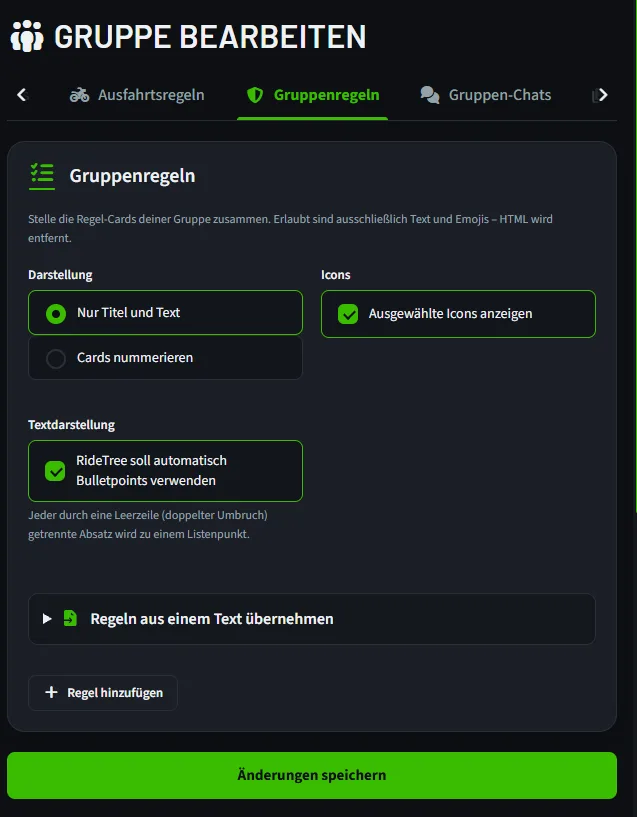
Open “Edit group → Group rules” and tap “Add rule”. Give each card a short title and a clear text. You can change the order and choose a suitable icon if you like.
Writing concrete content
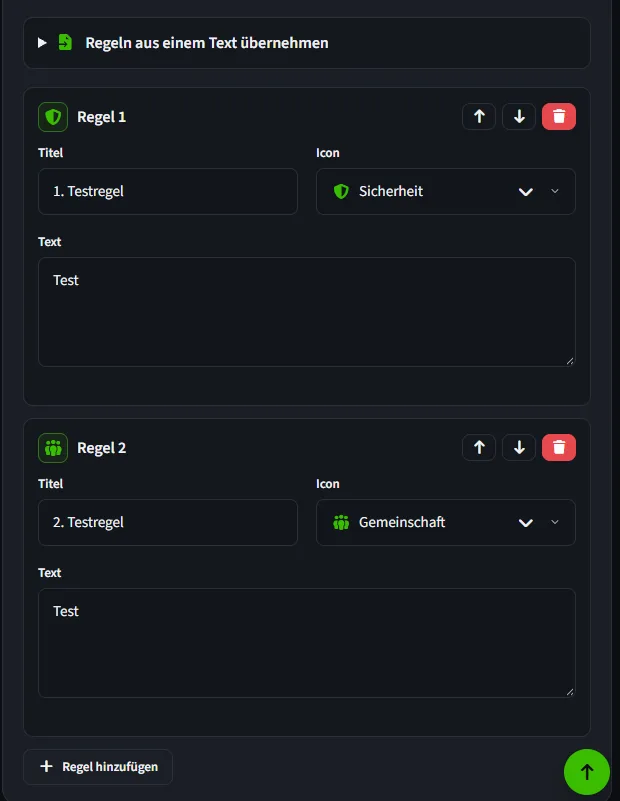
For example, write how you treat new members, where questions should be asked and how photos may be shared. A helpful rule describes behaviour you can observe: “We cancel in good time” instead of “Be reliable”.
Checking the layout and publishing
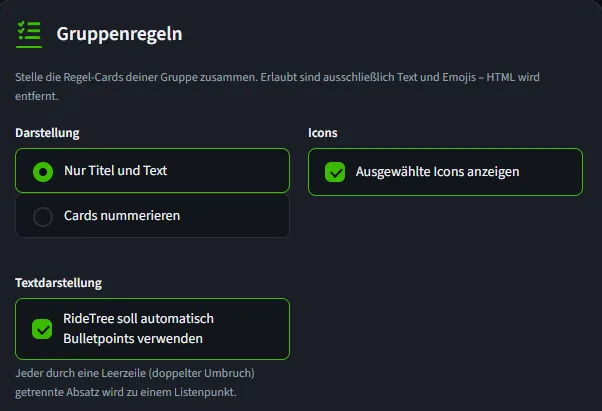
In the editor you can choose plain or numbered cards and show icons or automatic bullet points. You can also import a collection of rules from a text. Save the group and check how it looks in the “Rules” tab.
Keep general rules of conduct separate from the group's technical ride rules.
Frequently asked questions
Can I reorder rules?
Yes, the group rules editor has actions for moving them.
Can I format the rule text?
The editor saves text and emojis; HTML is removed.