


 AI-generated illustrative image
Using announcements in groups – making important information visible
Inform members about changes, events and important agreements.
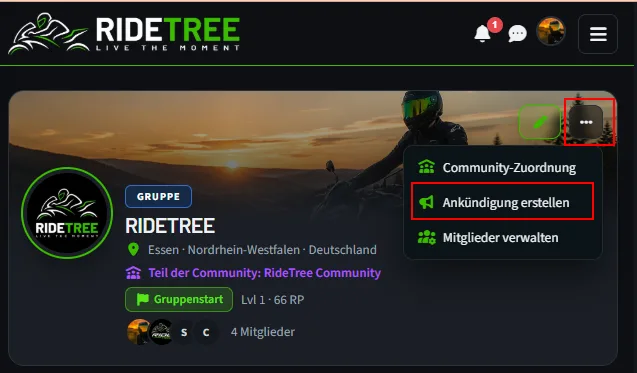
Announcements are suited to information that should reach all members of a RideTree group. Admins and moderators can create them directly on the group profile.
Opening an announcement
Open the group profile with admin or moderator rights and choose “Create announcement”. Enter a short, unambiguous subject and an easy-to-understand text. When something changes, always say what changed and when.
Email and the group feed
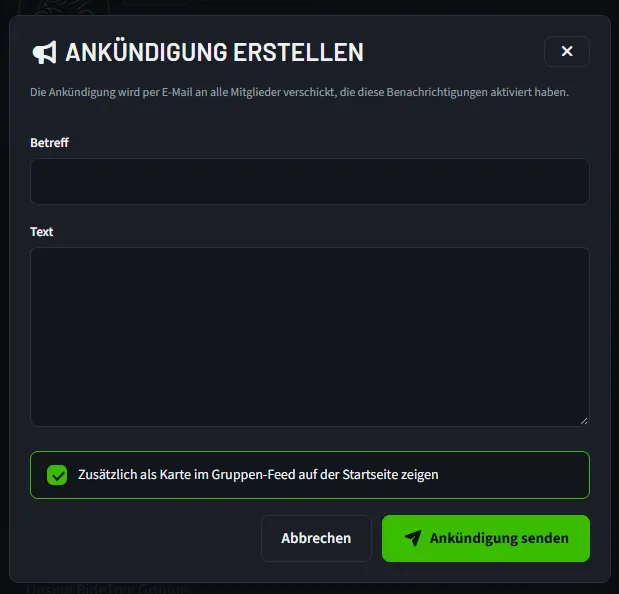
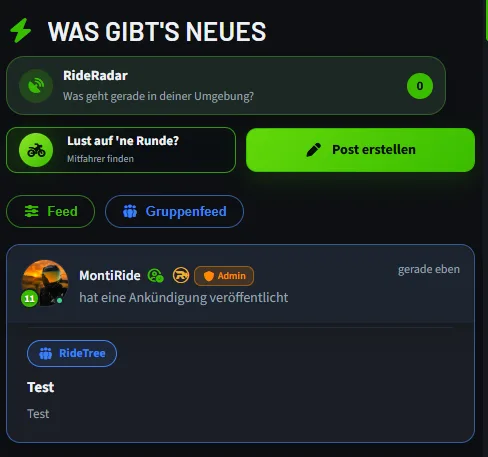
When you send it, members who have enabled these notifications receive an email. You can also show the announcement as a card in the group feed on the home page. Check this choice before sending.
Staying clear and up to date
Put the most important information first and, for rides, refer to the matching event. Use announcements specifically for relevant changes. The group profile can also determine whether outsiders can see announcements or only members.
A precise subject line helps members find important messages again in their inbox.
Frequently asked questions
Who can send announcements?
The group's admins and moderators.
Do all members receive an email?
An email goes to members who have enabled these notifications.